Guidance Browser
Purpose
Browse available guidance by machine or category, and quickly open the right guide for the current task.
Steps (browse by machine)
- Open App > Instructions.
- In the Machines section, select a machine card.
- Review the filtered guidance list and open an entry.
Steps (browse by category)
- Open App > Instructions.
- In the Categories section, select a category card (for example Cleaning, Setup, Error).
- Review the filtered guidance list and open an entry.
Steps (use favorites)
- Sign in (if required).
- Open App > Instructions.
- Use the Favorite guidances section to open saved entries quickly.
What users see
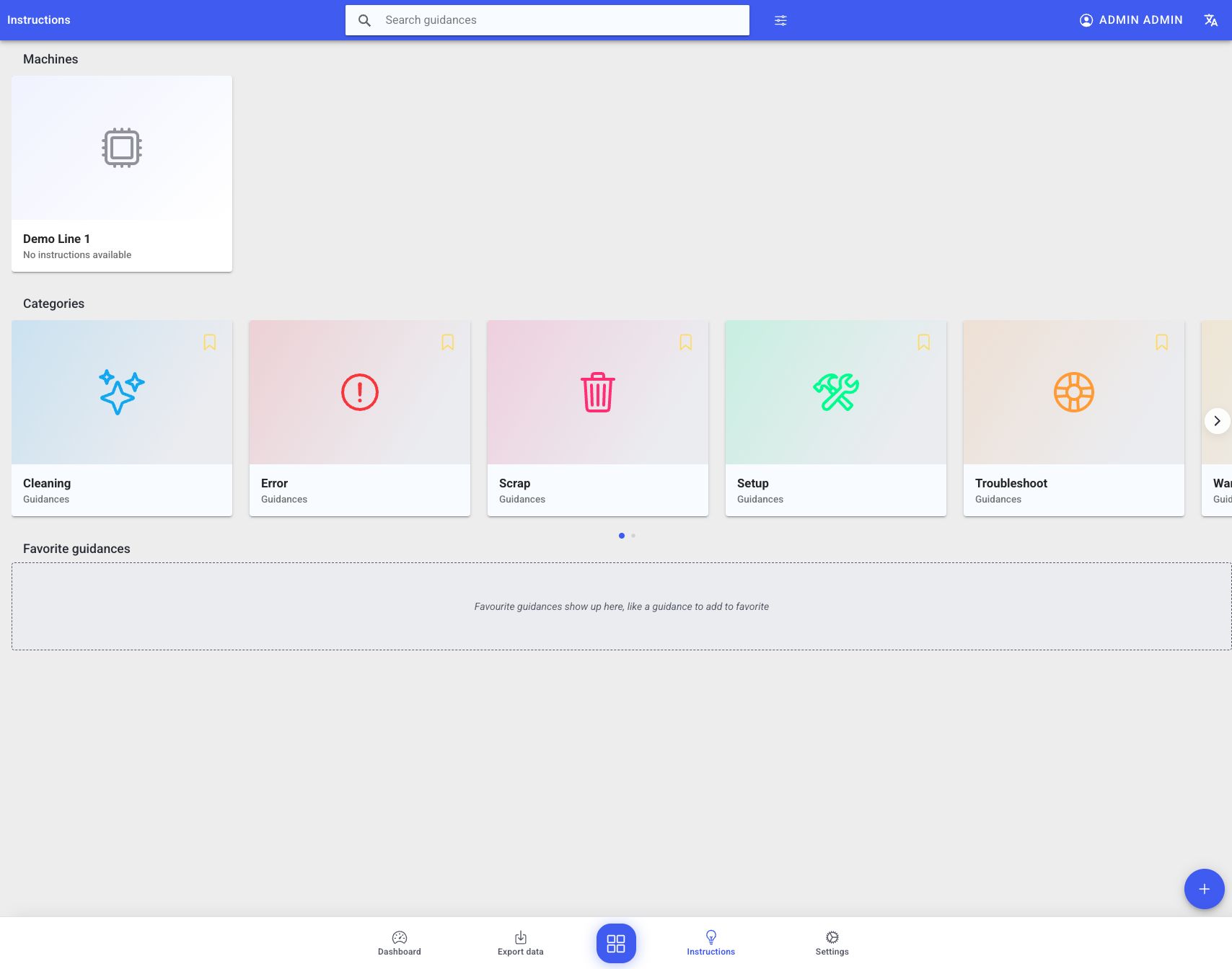
The test machine has no instructions yet. Populated installations show their available instructions and favorites in these sections.
- A top bar that typically includes:
- search field
- filter action (often an icon/button)
- user menu and language selector
- Browser sections:
- Machines: cards with optional machine image and instruction count
- Categories: cards with icon/color and instruction count
- Favorite guidances: saved favorites, or an empty-state hint when none have been added
Best practices
- Use categories consistently so instructions stay easy to find.
- Favorite the instructions your shift uses repeatedly.
- Prefer machine-specific instructions when the same category exists for multiple machines.
Troubleshooting
- Favorite guidance is missing -> Not signed in or no favorites set -> Sign in and bookmark the required entries -> Ask an admin if sign-in is required in your deployment
- Machines or categories are missing -> Not configured or missing permissions -> Ask an admin to confirm configuration and access -> Escalate with the machine/category name you expect to see