Machine Status Live
Category: Operating States · Widget ID: machine.status-live
What it shows
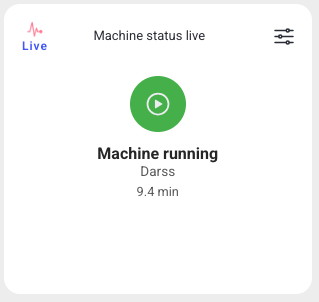
Shows the current machine status in real time. Use it as an at-a-glance indicator of whether the machine is running right now.
Data and refresh
- Data source: Live status stream (real-time).
- Time range: Live — always shows real-time data and ignores the selected time period and the dashboard refresh interval.
- Machine filter: Respects the selected machine(s).
- Widget locks: Lock machine keeps the widget on its own machine selection. Live widgets have no time lock or Choose time action. See Custom Dashboard.
Configuration
This widget has no display configuration dialog and no Configure action. Its slider menu offers Lock machine and Choose machine. With the lock off, it follows the dashboard machine selection. With the lock on, it keeps the local machine selection. It always shows the current state, independently of the dashboard time filter.
How to read it
A single status indicator with the current state and its color. Because it is live, it updates on its own and does not follow the dashboard time filter.
Interactions
- Widget filter: select or lock machines. The widget updates automatically.
Screenshot
Troubleshooting
Widget shows nothing -> No live connection or the machine is not reporting -> Confirm the machine is online -> If it stays empty, use Troubleshooting > Connectivity with the machine name.